Lines on a Map
Draw lines on a map using LineString objects in a GeoJSON source.
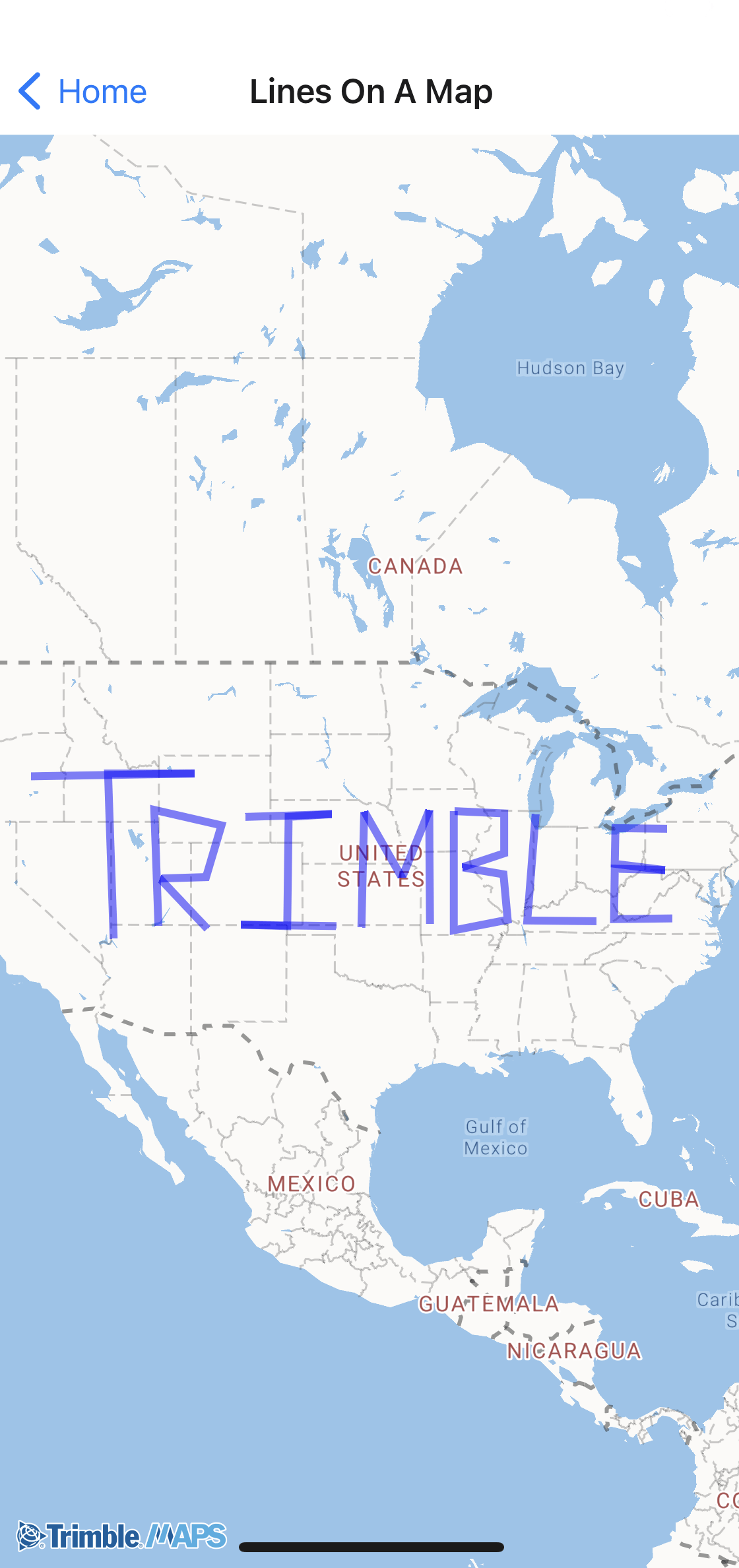
Sample code
import { Camera, GeoJSONSource, Layer, Map, TrimbleMaps } from "@trimblemaps/maps-react-native";

<Map mapStyle={TrimbleMaps.StyleURL.MobileDay} style={{ flex: 1 }}>
  <Camera initialViewState={{ center: [-98, 39], zoom: 4 }} />
  <GeoJSONSource id="lines" data={lineGeoJSON}>
    <Layer
      id="route-line"
      type="line"
      paint={{
        "line-color": "#0063A3",
        "line-width": 3,
      }}
    />
  </GeoJSONSource>
</Map>
Sample GeoJSON (lines.json)
Assign this object to lineGeoJSON (or load it with require("./lines.json")).
{
  "type": "FeatureCollection",
  "features": [
    {
      "type": "Feature",
      "properties": {},
      "geometry": {
        "type": "LineString",
        "coordinates": [
          [-119.091796875, 44.08758502824516],
          [-108.80859375, 44.213709909702054],
          [-114.2578125, 44.213709909702054],
          [-113.90625, 36.31512514748051]
        ]
      }
    },
    {
      "type": "Feature",
      "properties": {},
      "geometry": {
        "type": "LineString",
        "coordinates": [
          [-111.09374999999999, 36.94989178681327],
          [-111.357421875, 42.5530802889558],
          [-107.138671875, 41.83682786072714],
          [-108.10546875, 39.36827914916014],
          [-111.005859375, 39.30029918615029],
          [-108.017578125, 36.80928470205937]
        ]
      }
    }
  ]
}